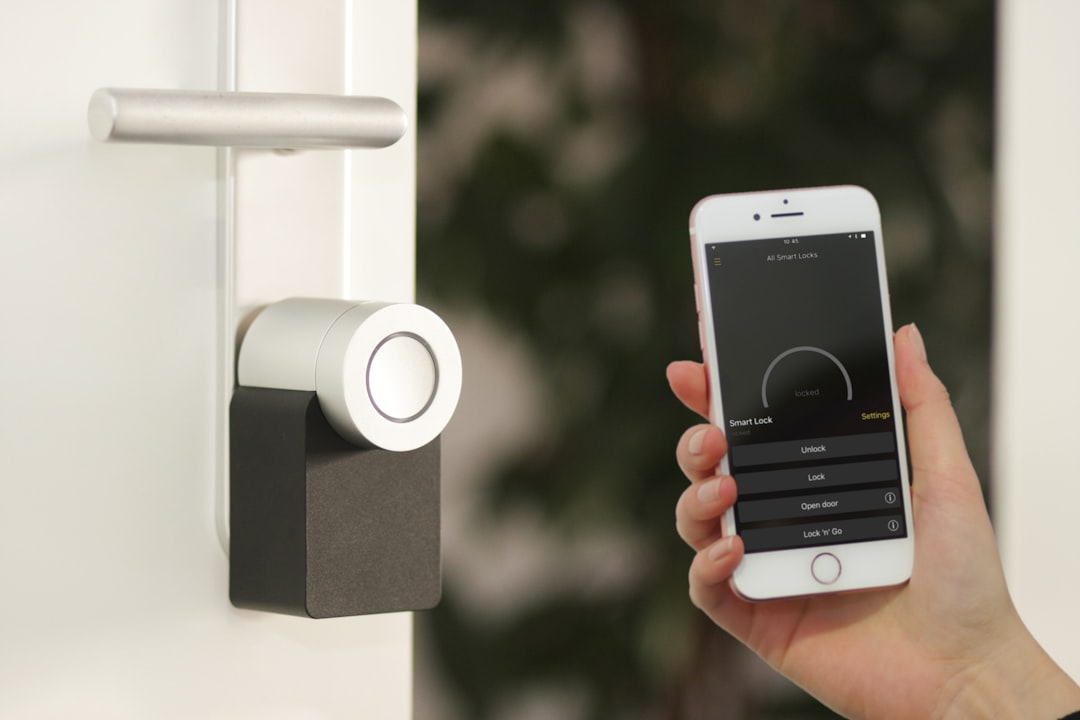
9 Easy Smart Home Upgrades for Beginners
Smart home tech no longer needs to feel intimidating. Small, affordable devices can add convenience, safety, and energy savings without a major rewiring project or a steep learning curve.
This guide walks you through nine practical upgrades that are ideal for beginners. Each suggestion focuses on simple setup, clear benefits, and real-world use cases so you can prioritize the upgrades that deliver the most impact first.
1. Swap in Smart Light Bulbs
Replacing a few key bulbs is one of the fastest ways to get smart home value. Smart light bulbs let you control brightness, color temperature, and schedules from your phone or voice assistant. Start with bulbs in the living room and bedroom for instant convenience: set wake-up lighting, evening dimming, or automated on/off when you leave or return.
Look for bulbs that mention easy pairing with Alexa or Google and an option for local control if you care about privacy. If you want to browse options, check Smart Light Bulbs.
2. Add Smart Plugs for Instant Automation
Smart plugs are perfect when you want smart control but don’t want to replace appliances. Plug lamps, fans, space heaters, or a coffee maker into a smart plug to schedule them, monitor energy use, or turn devices on remotely. They’re plug-and-play: no electrician required.
For a reliable, budget-friendly option compatible with popular voice assistants, consider the Govee Smart Plug. Use smart plugs to automate morning coffee, ensure lamps turn off when you leave, or create away-mode lighting while you travel.
3. Install a Smart Thermostat
A smart thermostat can reduce heating and cooling costs while adapting your home’s temperature to your routine. Many models offer easy DIY installation and step-by-step app setup. The key features to prioritize are scheduling, learning algorithms, energy reports, and compatibility with your HVAC system.
If lower energy bills and month-by-month usage feedback are your goals, see options under Smart Thermostats.
4. Upgrade to a Video Doorbell
Video doorbells offer clear security and convenience: live video, motion alerts, two-way talk, and package detection. They’re particularly useful for first-floor apartments or houses with frequent deliveries. Basic models wire to existing doorbell wiring; battery options eliminate wiring entirely.
When shopping, pick a model with reliable motion zones, clear night vision, and cloud or local storage options. If you want to see product types and compare features, visit the Video Doorbells category.
5. Put an Indoor Security Camera in Key Spots
Indoor cameras are great for monitoring entryways, nurseries, or living areas. They provide peace of mind with live streams, motion alerts, and cloud or local recording. For privacy, choose cameras that allow you to disable recording with a physical switch or schedule privacy modes.
A popular beginner-friendly camera is the REOLINK E1 Pro; it balances resolution and pan/tilt features for complete room coverage. Browse indoor options at Indoor Security Cameras.
6. Add a Smart Speaker for Voice Control and Routines
A smart speaker (Alexa, Google Home, or otherwise) acts as a command center for voice control and automations. With a speaker you can run routines (for example, “Good morning” to turn on lights, start a coffee maker, and read the news) without opening an app.
Set up a small set of routines first: morning, leaving home, and bedtime. This keeps things manageable and immediately useful.
7. Use Smart Switches and Dimmers Where It Matters
Smart switches are ideal for controlling multiple fixtures on a single circuit or for family members who prefer physical switches. Dimmers let you set ambient levels across rooms. Installation may require a neutral wire—check compatibility before buying—or use smart switches designed for older wiring.
If you’re renting or want a no-install alternative, stick to smart bulbs and plugs instead; they achieve many of the same results without wiring changes.
8. Add Smart Sensors for Safety and Convenience
Door/window sensors, water leak detectors, and smart smoke/CO alarms are low-cost additions that protect your home and automate actions. For example, a leak sensor near a water heater can trigger an alert and a shutoff routine to protect floors and belongings.
Sensors integrate well with smart hubs and routines: have your lights flash and phone alert when a door opens unexpectedly, or pause HVAC if a window is left open.
9. Start Simple with Routines and Scene Automations
Finally, the best upgrade is learning to automate. Build simple scenes that combine devices: bedtime turns off lights, locks smart deadbolts, and lowers the thermostat; away-mode turns everything off except security cameras. Focus on three automations you’ll use daily and expand from there.
Keep routines simple and test them for a week—tweaks are normal and expected as you discover real-life needs.
Beginner’s Quick Checklist
- Pick one room to start—kitchen, living room, or bedroom.
- Start with smart bulbs and a smart plug (or two).
- Add a smart thermostat if you control heating/cooling; install a video doorbell for entry-level security.
- Set up one voice assistant and create three routines (morning, away, bedtime).
- Check device compatibility (Wi‑Fi band, assistant support) before buying.
Conclusion
Smart home upgrades don’t need to be expensive or complex. Start with high-impact, low-effort devices—smart bulbs, plugs, thermostat, and a camera—and build automations around real routines. Small, consistent steps deliver immediate convenience, safety, and savings.
FAQ
Q: Do smart devices need a hub?
A: Many devices work directly over Wi‑Fi or Bluetooth. A hub helps when you want many devices or protocols (Zigbee/Z‑Wave) on one system, but it’s not required for basic setups.
Q: Will smart devices increase my energy bill?
A: Most modern smart devices use minimal standby power. Smart thermostats and lighting often lower overall energy use; check energy reports where available.
Q: Are smart cameras and doorbells secure?
A: Choose devices with two‑factor authentication, regular firmware updates, and clear privacy controls. Use strong unique passwords for each account and keep your home Wi‑Fi secured.
Q: Can I mix brands and voice assistants?
A: Yes—many ecosystems are compatible with Alexa, Google Assistant, and HomeKit, but features may vary. Verify compatibility before purchasing.
Q: What’s the easiest way to start without breaking the bank?
A: Buy a handful of smart bulbs and one or two smart plugs, add a smart speaker for voice control, and create a couple of useful routines. That sequence gives the biggest return for the least cost and effort.
Products Featured in This Article
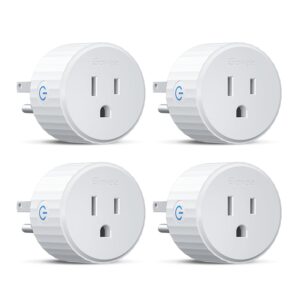
Govee Smart Plug, WiFi Outlet Compa…
Product description 1 Voice Control 2 Remote Control 3 WiFi & BLE Connection 1 Schedule Your…
