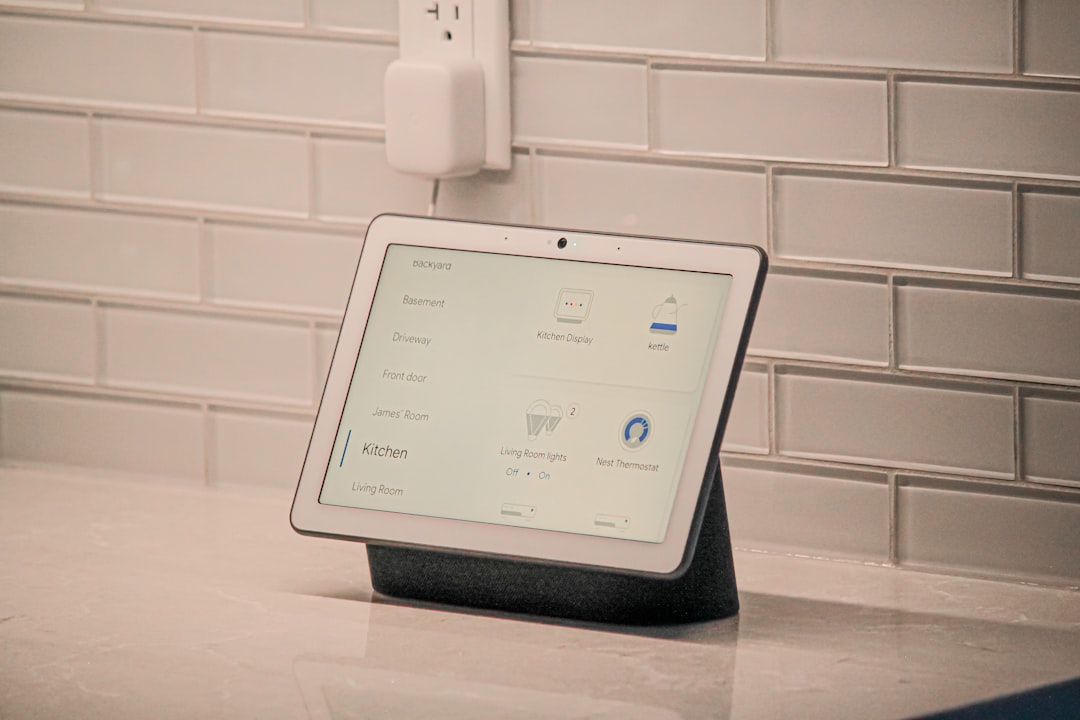
Smart Plugs Explained: What They Do and When They’re Worth Using
Smart plugs are one of the simplest and most affordable ways to bring “smart” functionality into an existing home. They let you control ordinary appliances and lamps from a phone, voice assistant, or scheduled routine without replacing the device itself.
This guide explains how smart plugs work, practical uses, limitations, and clear criteria to decide whether one is worth buying for your situation.
What is a smart plug and how does it work?
A smart plug is a small adapter that fits into a standard outlet and provides remote on/off control plus extra features depending on the model. Typical components include a relay or solid-state switch, a Wi‑Fi or mesh radio, and software that integrates with a mobile app or smart-home platform. You plug a lamp, fan, coffee maker, or other appliance into the smart plug, and you can then control power to that device remotely.
Core features to expect
Most smart plugs share a core feature set:
- Remote on/off control via smartphone app.
- Scheduling and timers for routines (night lights, coffee start, etc.).
- Voice control through assistants like Alexa, Google Assistant, or Siri shortcuts.
- Energy monitoring on models that measure real-time power draw and cumulative use.
- Group control and scenes when tied into a broader smart-home ecosystem.
When energy visibility is important, consider pairing smart plugs with whole-home devices like Smart Thermostats that are designed to optimize HVAC use and provide additional insights into household energy consumption.
Common real-world uses
Smart plugs are best applied to devices that benefit from scheduled power or remote control:
- Lamps and accent lighting (turn on at dusk or when you’re away).
- Small kitchen appliances like slow cookers or coffee makers—start them remotely in the morning.
- Fans and space heaters (with safety caution for high-power heaters).
- Holiday decorations and string lights for automated on/off cycles.
- Charging stations and entertainment systems to prevent vampire loads.
For lighting specifically, smart plugs often work alongside purpose-built bulbs; if your goal is flexible color or dimming control, consider smart bulbs such as the Smart Light Bulbs. Use a smart plug instead when you need to automate a non‑smart lamp or an entire multi‑lamp strip without swapping bulbs.
Compatibility and connectivity: what to watch for
Smart plugs connect using Wi‑Fi, Bluetooth, Zigbee, or Z‑Wave. Wi‑Fi models are easiest for single-device control because they communicate directly with your router. Mesh options (Zigbee/Z‑Wave) usually require a hub but scale better if you plan many devices. Check these points before buying:
- Does the smart plug require a hub or work standalone over Wi‑Fi?
- Is the plug compatible with your voice assistant or smart-home platform?
- What is the load rating (amps/watts) and does it match the intended appliance?
- Is local control supported (important for reliability and privacy) or is cloud-only control used?
If you’re building a broader home security and automation setup, smart plugs can integrate with devices like Indoor Security Cameras so lights turn on when motion is detected or when a camera alerts you to activity.
When smart plugs are worth buying
Smart plugs are a strong buy when they meet at least one of these practical criteria:
- You want remote control or automation for a non‑smart device (lamp, fan, slow cooker).
- You want schedules or timers to improve convenience or safety (lights on when away).
- You want to monitor energy use of individual devices to identify waste.
- You need simple automation without replacing equipment (rental units, dorms).
If those apply, a reputable, budget-friendly option such as the Govee Smart Plug is a sensible starting point—look for models with clear load ratings, a reliable app, and the integrations you need.
When to skip smart plugs
There are clear situations where a smart plug is not the right choice:
- High‑power appliances: built-in ovens, dryers, window ACs and space heaters often draw more current than typical smart plugs support—use dedicated smart switches rated for higher loads or consult an electrician.
- If you need fine-grained device control (dimming, color change), a smart bulb or an appliance with native smart features is a better fit.
- When reliability is critical and cloud dependence is unacceptable; choose devices with local control or invest in a hub-based system.
How to pick the right smart plug
Shopping checklist:
- Electrical rating: verify maximum amps/watts and whether it’s single- or dual-outlet.
- Connectivity: Wi‑Fi for simplicity, Zigbee/Z‑Wave for scale and lower latency.
- App quality and ecosystem compatibility (Alexa, Google, HomeKit, IFTTT).
- Energy reporting if you want usage insights.
- Physical size: slim plugs avoid blocking adjacent outlets.
- Outdoor rating if using outside (look for IP ratings).
Also consider customer support and update history—cheap plugs that stop receiving firmware updates can become security risks. If you want to explore a broader selection of smart-home and household products before deciding, browse the main site category at PracticalHomeScout to compare compatible options.
Installation and safety tips
Installation is usually plug-and-play, but follow these safety guidelines:
- Check the device’s amperage rating against the appliance label.
- Do not use smart plugs with multi-socket extenders or in any arrangement that could exceed ratings.
- Avoid using smart plugs with heating elements or motors unless the plug explicitly supports those loads.
- Keep firmware updated and secure your Wi‑Fi network with a strong password.
- For devices that affect safety (space heaters, sump pumps), prefer hardwired smart switches or professional solutions.
Checklist: Should you buy one?
- Do you need remote on/off or scheduled automation? — If yes, consider a smart plug.
- Is the target device under the plug’s amperage rating? — If no, skip it.
- Do you want energy monitoring per device? — Look for plugs with metering.
- Are you building a larger ecosystem with cameras, lights, or thermostats? — Ensure compatibility.
- Is the appliance plugged in unattended and could automation improve safety or convenience? — That’s a good use case.
FAQ
Q: Can smart plugs measure electricity use?
A: Some models include energy monitoring and report watts and kWh via the app. It’s useful for identifying energy hogs.
Q: Are smart plugs secure?
A: Security varies by manufacturer. Pick reputable brands, keep firmware updated, and use a secure Wi‑Fi network. Prefer devices that support local control where possible.
Q: Can I use a smart plug with a heater or air conditioner?
A: Most common smart plugs are not rated for high-current heating or large AC units. Check the amp/watt rating and consult the device manual—use a heavy-duty switch or electrician for high-power appliances.
Q: Do smart plugs work with voice assistants?
A: Yes. Most support Alexa and Google Assistant; some support Apple HomeKit. Confirm compatibility before purchase.
Q: Will my smart plug work during a power outage?
A: No—smart plugs require mains power. After power is restored, behavior depends on the model (some return to last state, others default off). Check the device’s “power‑loss recovery” behavior.
Conclusion: Practical takeaway
Smart plugs are a low-cost, low-risk way to add automation and monitoring to non‑smart devices. They’re worth buying when you need schedules, remote control, or device-level energy insights, and they’re less suitable for high‑current appliances. Choose a model with the right load rating, stable connectivity, and the ecosystem support you already use to get the most value from your purchase.
Products Featured in This Article
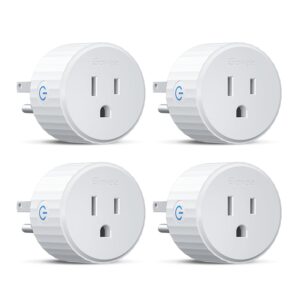
Govee Smart Plug, WiFi Outlet Compa…
Product description 1 Voice Control 2 Remote Control 3 WiFi & BLE Connection 1 Schedule Your…
